Introduction
Private Messages in Agent Workspace allows messaging users to send private messages to all conversation participants except the consumer. It enables managers to guide agents during active conversations, while agents can privately request direction or clarification from managers.
How it works
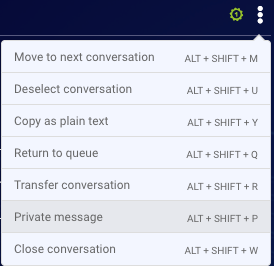
Users will see the new private message action available within the action menu:
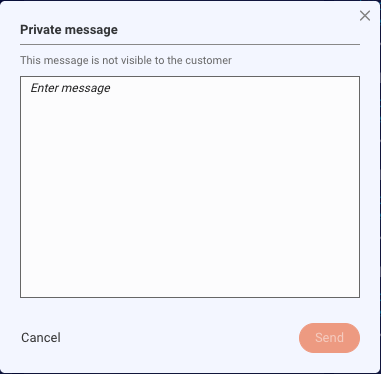
A new window will then appear for typing your message:
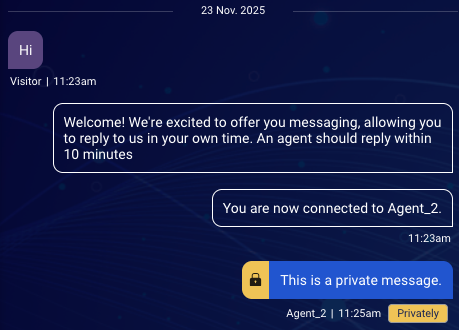
A private message displayed within the conversation area, with a “Privately” badge:
Private messages will not affect the conversation’s SLA, intensity (active/inactive status), and will not reset the auto-close timer.
To disable this feature, please contact your LivePerson representative.
➡️ This feature will be available to customers in phases. Please contact your LivePerson representative for more details.
Limitations
Private Messages will not show a notification to the agent near the module icon, or on top of the conversation line in the My Connections panel (unlike regular messages).
When a private message is sent, this starts the timer for the Consumer Non-Responsive automatic message (see Supported Automatic Messages). If the consumer doesn't respond before the timer expires, the Consumer Non-Responsive automatic message is sent. Depending on the conversation flow, the consumer may have actually been the last to respond, so in such cases this can appear confusing to them. Consider the following flow:
- Agent sends a message.
- Consumer sends a message.
- Agent manager sends a private message to the agent. (This starts the timer for the Consumer Non-Responsive automatic message.)
- Timer expires; the Consumer Non-Responsive automatic message is sent to the consumer.