LivePerson is a leading conversational AI platform. Join us for our upcoming Event Engagement showcase, where we enable high-engagement with attendees through integrated scheduling, smart reminders, interactive carousels, and AI-powered support.
Sign up for real-time event updates and digital concierge services
Opt-in to RCS updates: Get instant event updates and tailored recommendations for your schedule with LivePerson’s Events.
If you have already registered, click the link below to launch your event concierge in your native messaging app.
👉 Start RCS Event Conversation
(By clicking this link, you agree to start a conversation with the LivePerson RCS agent. Message & data rates may apply. Reply HELP for help, STOP to opt-out. Msg & data rates may apply. Message frequency varies. View Terms of Use & Privacy Policy.)
Purpose
This page is for internal testing of RCS messaging. It allows field teams to start conversations with our whitelisted test number.
⚠️ Note: This is only for testing. The RCS experience here may not fully represent production behavior.
How to Start a Test Conversation
1. Start via Deeplink
Click the link below to open a conversation in the native Android Messages app (RCS supported devices only):
👉 Start RCS Test Conversation (For US RCS Verification)
👉 Start RCS Test Conversation (EMEA)
👉 UAL Customer Test - Link 2
👉 UAL Customer Test with Short Code - Link 2
Or copy the following text and paste it in your browser:
- sms:+12126094200?service_id=liveperson_alpha_e5exm1ov_agent%40rbm.goog&body=I'd%20like%20to%20request%20a%20demo.
- (By clicking this link, you agree to start a test conversation with the LivePerson RCS agent. Messaging & data rates may apply. Message frequency varies depending on your replies. This will trigger RCS if the device supports it; otherwise, it falls back to SMS. By proceeding, you also agree to the applicab.e Terms & Conditions and Privacy Policy.)
2. Start via QR Code
Scan the QR code below to trigger the same deeplink on your RCS-enabled device:
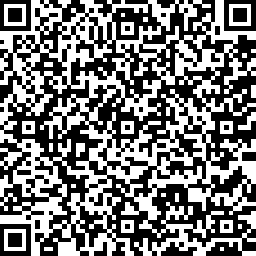
(By scanning this code, you agree to start a test conversation with the LivePerson RCS agent. Messaging & data rates may apply. Message frequency varies depending on your replies. This will trigger RCS if the device supports it; otherwise it falls back to SMS. By proceeding, you also agree to the applicable Terms & Conditions and Privacy Policy.)
Whitelisting Requirement
- Only whitelisted numbers can receive and respond to RCS messages.
- Please confirm with the LivePerson RCS team that your number is approved before testing.
Notes & Limitations
- Conversations started here are test-only and may not reflect the full RBM experience.
- Some rich features (carousels, quick replies, branding) may not be active in this environment.
- SMS fallback may trigger if:
- The device does not support RCS
- The carrier does not support RCS
- The RCS agent is unavailable
- To know more about RCS please contact support or your account team.